Your dashboard is now a command center
May 5, 2026
When you log in to manage your listings, the first question on your mind is rarely "what should I do next." It's "did anyone inquire today" or "are my listings actually being seen." The old dashboard answered neither. So we rebuilt it.
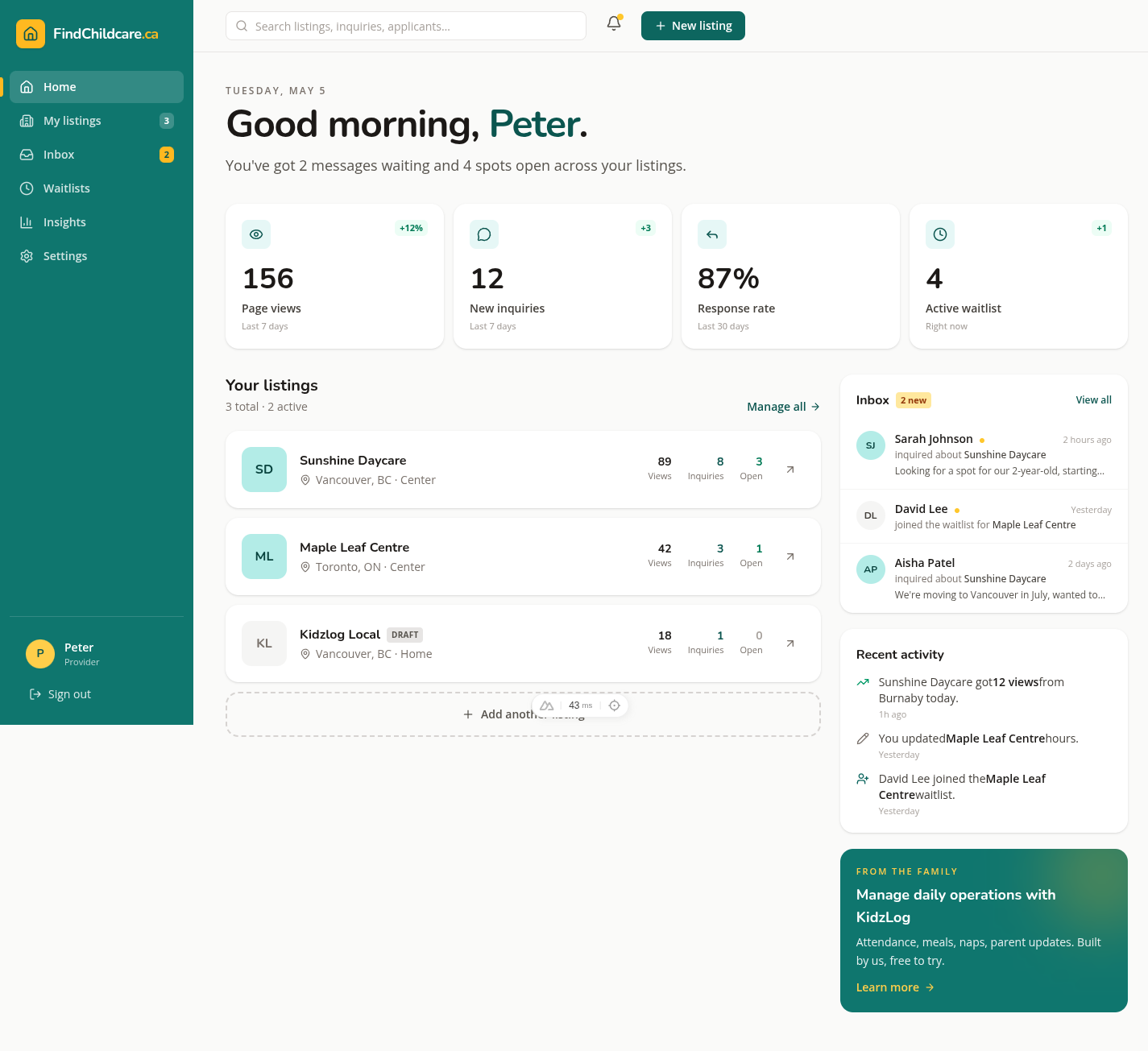
The new provider dashboard is a command center. The moment you log in, you see what's happening with your listings: your unread inquiries, your views and inquiries trend, your response rate, and how many open spots you have right now.
What's new
A greeting that means something. A sentence under your name tells you in plain English what's waiting (for example, "You've got 3 messages waiting and 5 spots open across your listings") instead of a generic "Welcome." If everything's caught up, it says so.
A performance row. Four stat cards at the top: Page views, New inquiries, Response rate, Open spots. Each card shows a trend pill when there's a meaningful change ("+12%" green when you're up, red when you're down). Toggle between 7 days and 30 days without a page reload, the data is right there.

Your listings, with stats. Each listing card now shows last-7-day views, inquiries, and remaining open spots inline. The card itself is the link, so click anywhere on it to manage that listing.
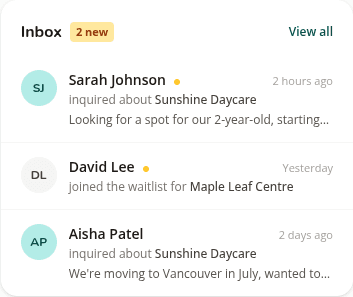
Inbox preview. The five most recent inquiries appear in a panel on the right. Unread inquiries have a small mustard dot next to the parent's name. Click any row to jump to that listing's dashboard, and the unread badge on the sidebar updates immediately.
Recent activity. Below the inbox, a feed shows the things that have been happening across all your listings: new inquiries, new waitlist signups, listing edits you made, and view milestones when one of your listings crosses a meaningful threshold.
A side that tucks away on mobile. The sidebar slides open and closed on phones with a clean overlay, so the home page actually works one-handed.
Why this matters
Your time is the constraint. If the dashboard makes you click three times to find out whether anyone reached out today, the dashboard is the problem. The new version puts that answer in your peripheral vision. Everything else (managing waitlists, editing listings, replying) is still one click away, but the first click stops being "where do I start."
If you log in and something feels off or missing, reply to this email and tell us. That's how each of these pieces got built in the first place. You can also browse other recent updates to see what we've shipped lately.